The hard part of export prospecting is rarely finding names. It is that the list mixes retail stores, closed companies, residential addresses and unclear inquiries, and time goes into quotations that never had a chance. This guide links three XunL tools into a flow you can repeat every week: find (businesses on Maps) → mine (company websites without a storefront) → verify (check each one).
The scenario is fictional: a hydraulic-hose exporter looking for distributors in Germany.
Step 1 · Find: businesses with a storefront or warehouse on Maps
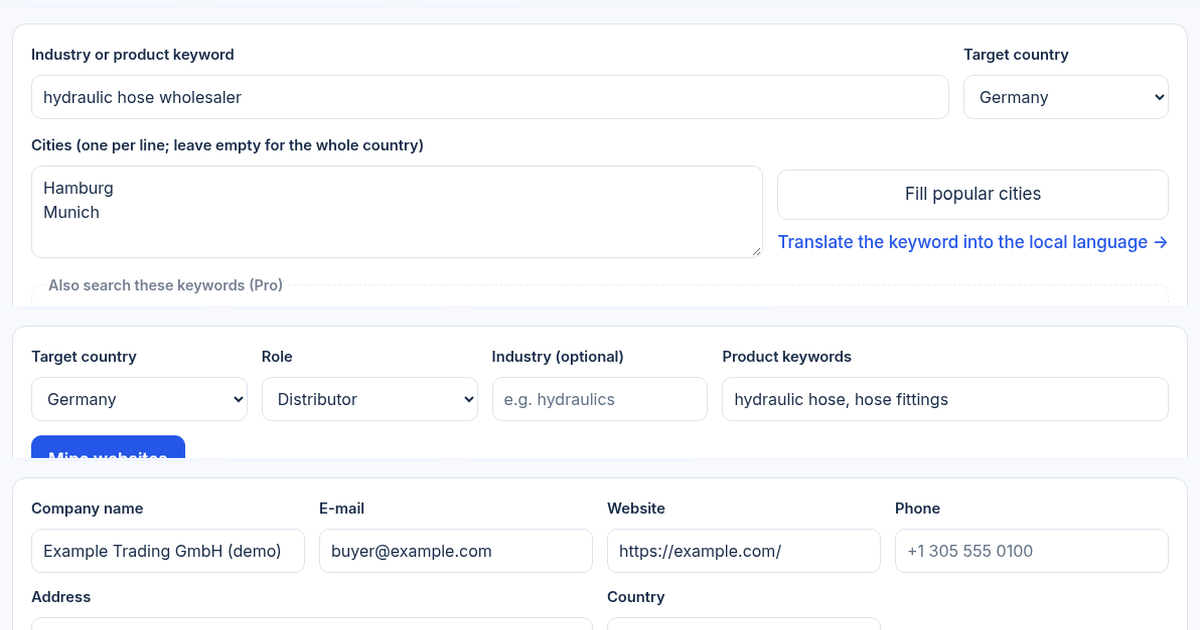
Open the B2B lead finder, write "product + role" keywords, pick Germany and search city by city.
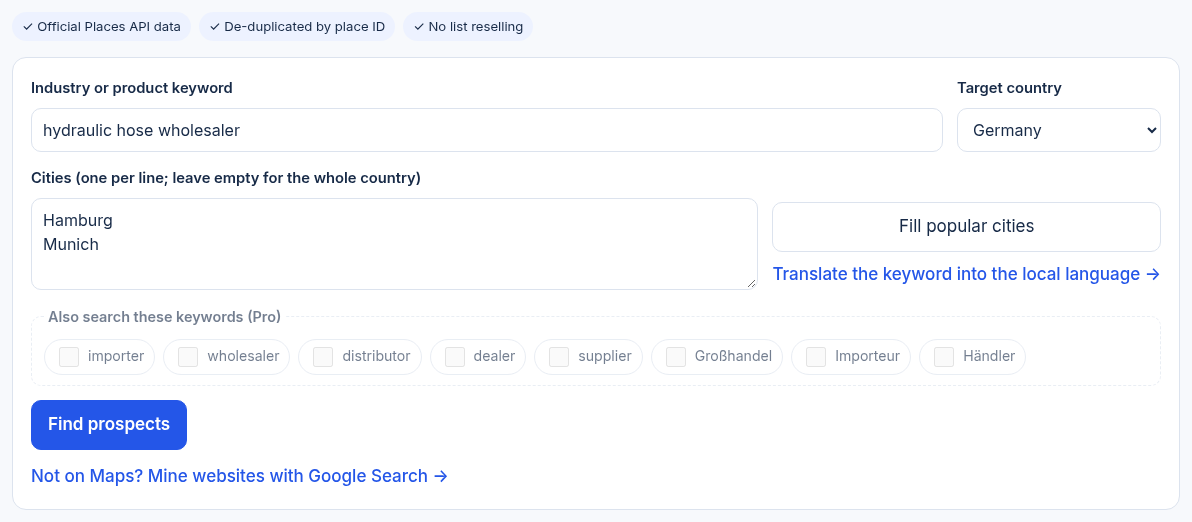
Filter by "Has website" and "Has phone", then open each website to confirm the main business. One query returns at most 60 results (Places API Text Search documentation), so split by city and by role word. Details are in the B2B lead finder guide.
Step 2 · Mine: importers and distributors that Maps misses
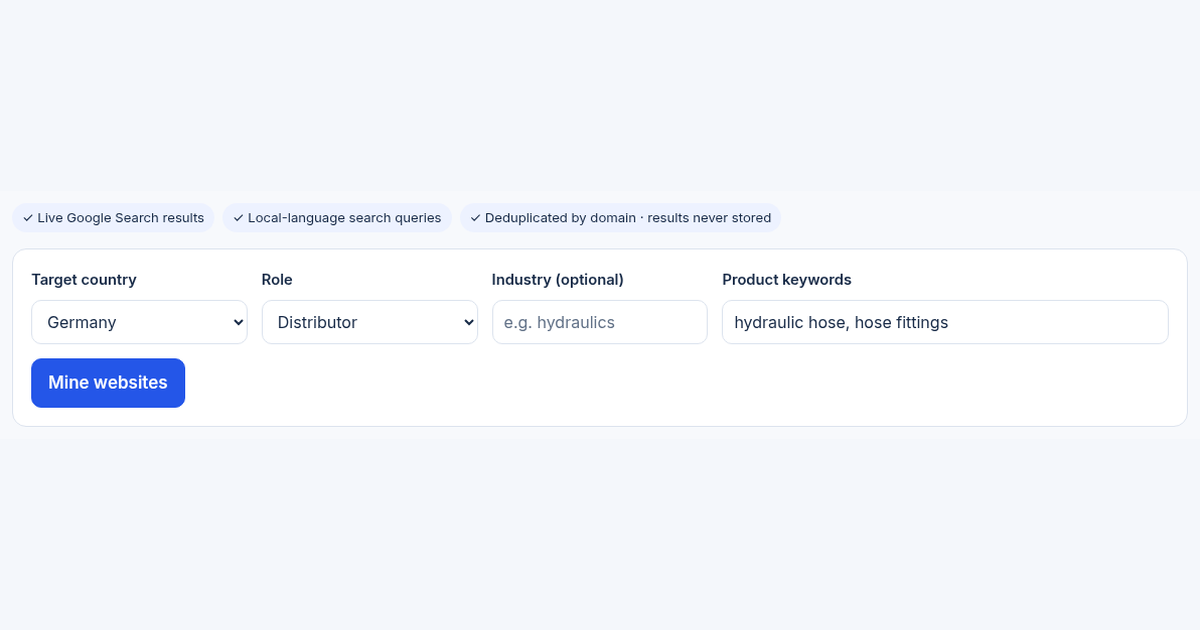
Many importers of niche industrial products are an office and a website. In the B2B site miner, choose a country and role and enter 1–3 product words. It builds local-language queries (for example site:.de with Großhändler and your product) and curates the Google Search results into candidate websites de-duplicated by domain.
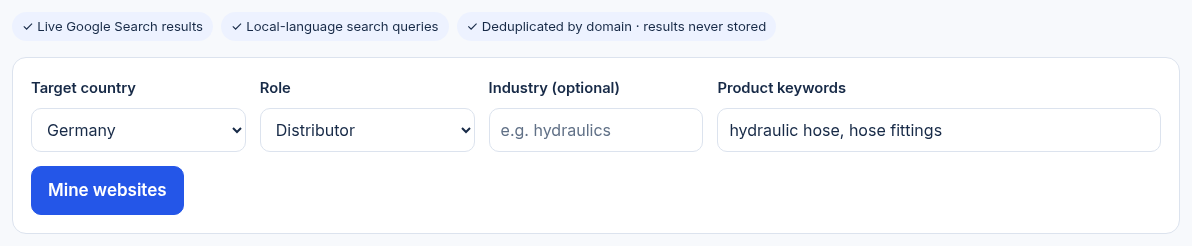
Roles are inferred, so open each website before adopting it; public contact pages are read only after adoption. Details are in the B2B site miner guide.
Step 3 · Verify: before you quote or send samples
Send the companies from steps 1 and 2, and any inbound inquiry, to the buyer verifier. It checks Maps status, whether the address is residential or business, whether the e-mail domain matches the website and what public DNS and RDAP records say about the domain, with each reason explained.
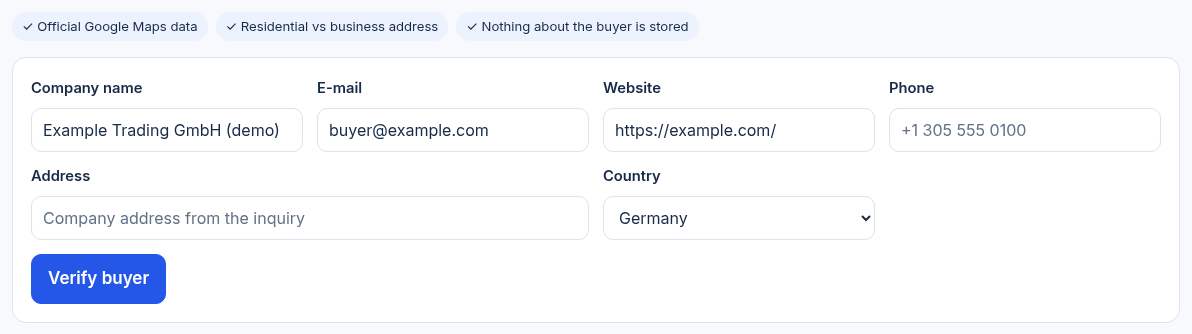
A residential address, a new domain or a mismatched e-mail is not proof of fraud, but each deserves a follow-up question. Details are in the buyer verifier guide.
Turn the three steps into a weekly routine
| Stage | Tool | Output | Next owner |
|---|---|---|---|
| Find | B2B lead finder | Maps businesses with website and phone | Sales opens each website |
| Mine | B2B site miner | Candidate websites de-duplicated by domain, public contacts | Sales confirms the role |
| Verify | Buyer verifier | Trust score and red-flag reasons | Decide: quote, samples or ask for documents |
| Contact | Inquiry reply draft, translator | First outreach e-mail | Human review before sending |
Practical notes:
- One country and one product line at a time keeps results comparable and outreach specific.
- Record the source of each company (Maps or website mining) so you can see which channel works.
- Neither search tool exports lists, because of the data terms; record the companies worth following up in your own CRM.
- Check the buyer's local time with the world clock before calling or e-mailing.
Common questions
Do I have to use the tools in this order?
No. Inbound inquiries can go straight to verification, and for niche products you can skip Maps and mine websites directly. The order is a default that is easy to repeat.
Can Maps and website mining find the same company?
Yes. The lead finder de-duplicates by place ID and the site miner by domain; merging across the two happens in your own list.
Is a high trust score enough to ship?
No. Verification is a screen before quoting or sampling and cannot prove ability to pay. Large orders and credit terms still need a credit report, bank references or a visit.
Does this workflow cost money?
All three tools have free guest trials and account allowances; heavier use needs a paid plan. Current allowances are shown on each tool page.
This guide was prepared with AI assistance. Screenshots show the live tools on November 10, 2026, before submitting. The scenario is fictional, not a customer result; allowances and features are shown on the tool pages.
Tools for your next step
Put this guide to work for your business
Create a company account to try website monitoring and the inquiry workbench. Compare Pro plans for your team’s ongoing needs.
No card required. The trial returns to Free when it ends. Paid monthly credits are not included in the trial.