The usual first question in export prospecting is simple: in this city, who sells or wholesales my kind of product? Those businesses often have a Google Maps listing with a name, address, website, phone number and reviews. The XunL B2B lead finder turns that into one form: enter an industry or product keyword, choose a country and cities, and review the matching Maps businesses with filters for website, phone and rating.
This guide walks through a fictional hydraulic-hose export scenario, and is clear about what the tool cannot decide for you.
Step 1: write "product + role" keywords
A bare product word such as "hydraulic hose" mixes in repair shops, retail stores and end users. "Product + role" works better: hydraulic hose wholesaler, LED importer, furniture distributor.
In Germany, Spain, France or Japan, local-language terms usually surface more local firms: German Großhandel (wholesale) or Importeur, Spanish mayorista or distribuidor, French grossiste. If you don't know the local term, translate it first with the text translator.
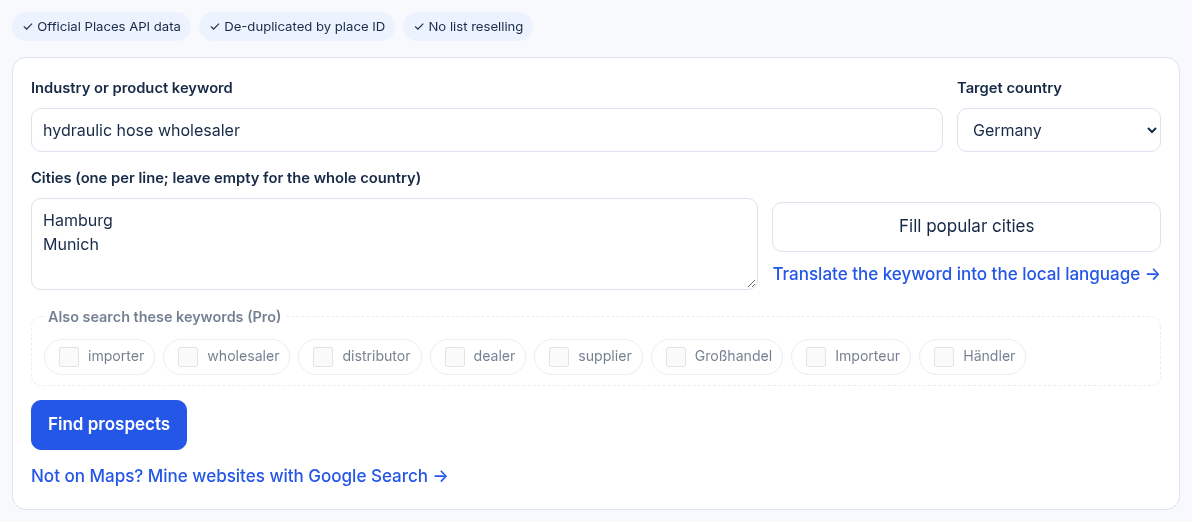
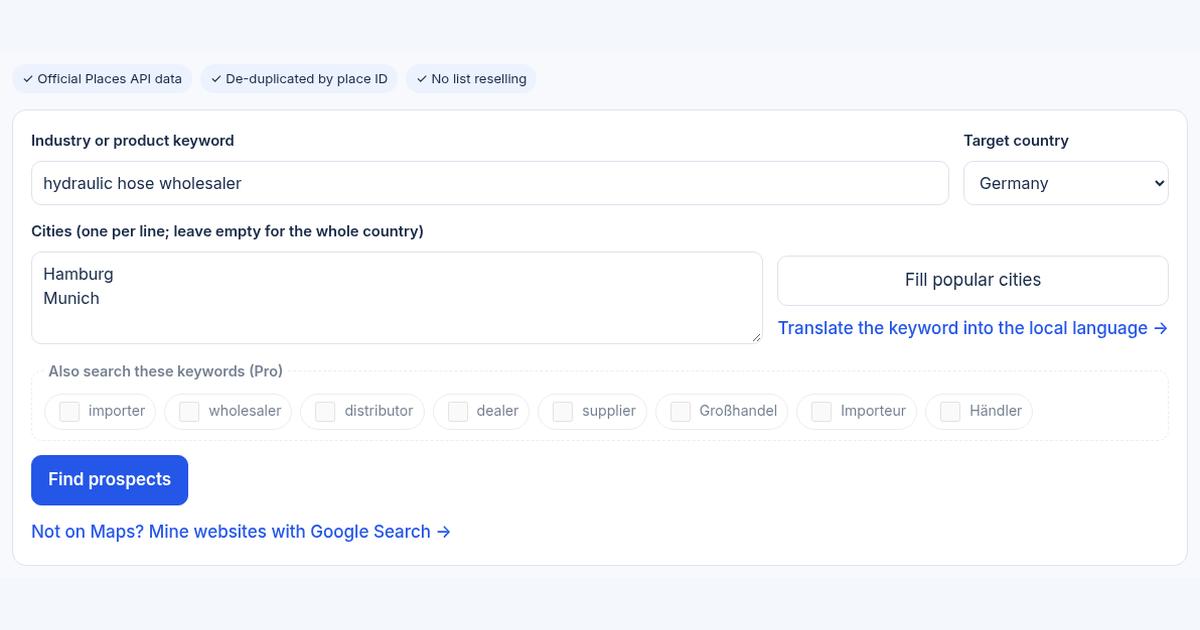
The live tool before submitting. The keyword and cities are a demonstration, not a claim about how many buyers those cities have.
Step 2: split by city instead of searching a whole country
The tool queries Google Maps Platform's official Places API. Google's Text Search returns at most 60 results for one query (Places API Text Search documentation), so a country-wide search tends to return only the most prominent businesses.
To cover more companies:
- Split the country into priority cities, one per line, or use "Fill popular cities".
- In each city, search importer, wholesaler, distributor and the local-language word separately. Paid plans can tick "Also search these keywords" in one go; results are de-duplicated by place ID.
- A business that appears under several keywords is counted once.
Step 3: filter first, then check each website
Use "Has website", "Has phone" and a minimum rating to drop thin listings, then sort by rating or review count. After that, open the website and check three things:
- whether its main products relate to yours;
- whether it wholesales, imports and distributes, or only retails or repairs;
- whether the site shows company details, a contact page and a real address.
A Maps listing is a prospect, not a buyer. A high rating reflects visitors' reviews, not purchasing volume.
Step 4: hand promising companies to the next step
Click "Verify this buyer" to send a company to the buyer verifier, which checks whether the address is residential, whether the e-mail domain matches the website and whether the domain is brand new. The inquiry reply draft can then help with a first outreach e-mail.
If your product is niche and your buyers have no storefront on Maps, use the B2B site miner to find company websites by country and product. The find → mine → verify workflow shows how the three tools fit together.
Where the data comes from, and why there is no export
Searches run live against Google Maps Platform's official API, and the page carries the Google Maps attribution. XunL keeps only place IDs, for quota counting and de-duplication; business names, addresses and phones are not stored and there is no list download, because the Google Maps Platform terms do not allow bulk export or business databases. You can filter on the page, open websites and maps, and copy one company at a time.
Guests can preview results for free, and signed-in accounts unlock leads with website and phone each month. Current allowances are shown on the tool page.
Common questions
Is the lead data scraped?
No. Results come from live queries to Google Maps Platform's official Places API, not from scraping pages or a pre-built list.
Why are there at most 60 results per city?
That is Google Text Search's limit for a single query. Split a country into cities and search importer, wholesaler, distributor and local terms separately; results are merged by place ID.
Are all results buyers?
Not necessarily. Maps includes retail stores and repair shops as well as wholesalers and importers. Check the website for the main business, then use the buyer verifier on the address and domain.
Can I export the list to Excel?
Not at the moment, to comply with the Google Maps Platform terms. You can filter, sort and open each website and map from the page.
This guide was prepared with AI assistance and checked against the live tool on November 10, 2026. The keyword and cities are examples, not customer results; allowances and features are shown on the tool page.
Tools for your next step
Put this guide to work for your business
Create a company account to try website monitoring and the inquiry workbench. Compare Pro plans for your team’s ongoing needs.
No card required. The trial returns to Free when it ends. Paid monthly credits are not included in the trial.