An inquiry arrives that looks promising: company name, e-mail, website, address, a request for a quote and samples. Before you spend time on a quotation or ship samples, it is worth one minute to check: does this company exist, is the address an office or a home, and do the e-mail and the website match?
The XunL buyer verifier puts those checks in one form. Paste the details from the inquiry and it checks Google Maps, address validation, Street View and public DNS / RDAP domain data live, then returns a trust score with every deduction and bonus explained.
Step 1: paste the inquiry details as they are
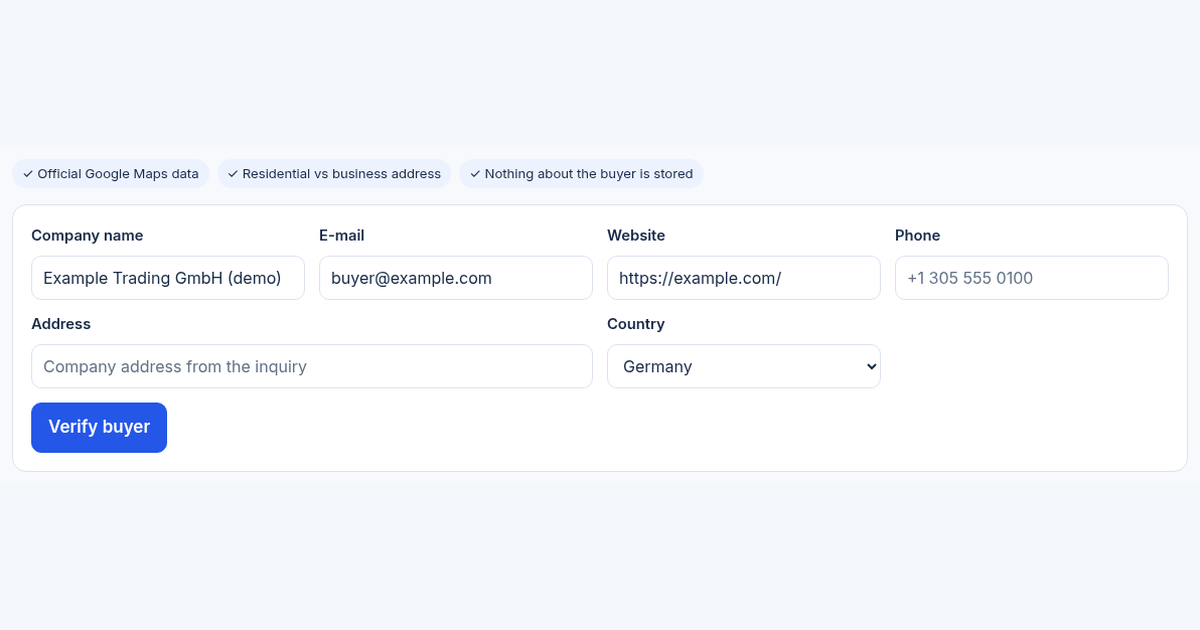
Company name, e-mail, website, phone, address: at least one is required, and more details give a better answer. Choose "Not sure" if you don't know the country. From the B2B lead finder, "Verify this buyer" fills the form for you.
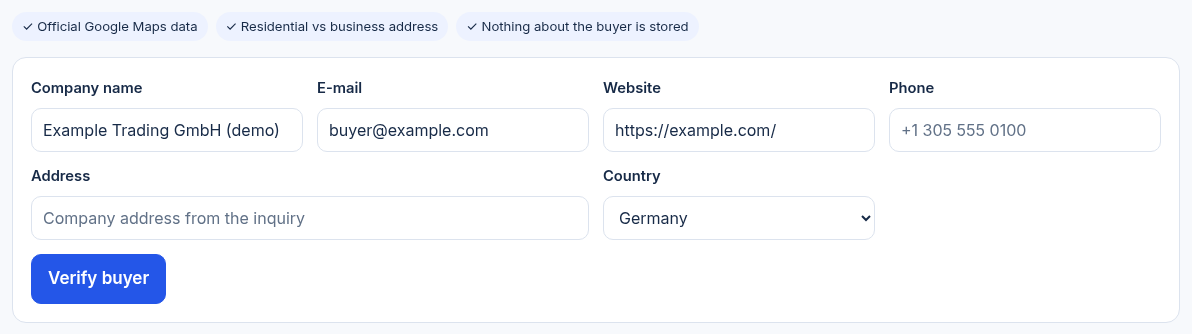
The live tool before submitting. The company and e-mail are fictional placeholders; example.com is a reserved example domain.
Step 2: read the red flags, not just the score
The tool page publishes its scoring rules. The score starts at 70. Strong red flags, such as permanently closed, address not found or a domain that does not exist, cost 25–40 points each. A residential address, a domain younger than 90 days, a domain with no mail server, or a phone and address in different countries cost 8–15. An operational business, a business address, a matching domain older than three years and plenty of reviews add 5–10. The total is capped to 0–100.
The reasons matter more than the number:
| Finding | What it may mean | Next step |
|---|---|---|
| Residential address | A small trader or individual buyer, or a shell company | Ask for a video of the office or warehouse, or a business licence |
| E-mail domain differs from website | An agent, or impersonation | Call back via the phone or e-mail published on the website |
| Brand-new domain | A new company, or a site set up for a scam | Start small, payment before shipment, no high-value samples |
| Permanently closed on Maps | Outdated data, or the company no longer exists | Ask for current company documents |
A buyer on Gmail is not automatically a scam. Many small importers and individual buyers use free e-mail, so it costs only a few points and never decides on its own.
Step 3: sign in to see the storefront on Street View
Signed-in reports show the Google Street View image for the address, which helps you see whether there is a shopfront, warehouse or office building. Street View does not cover every street: many industrial parks, private estates and some countries have none. Missing Street View costs no points; ask for a video tour instead.
What it does not replace
The verifier quickly filters out shell companies, residential addresses, closed businesses and inconsistent inquiries. It is not customs data or a credit report such as Dun & Bradstreet, and it cannot prove that a company is an importer or able to pay. For large orders, credit terms or exclusive agency, you still need a credit report, bank references or a visit.
Is what you enter stored?
No. Your input is sent to XunL and checked live with Google Maps Platform's official APIs (Places, Address Validation, Street View) and public DNS / RDAP. XunL keeps only usage counters, never company names, e-mails, addresses, phones or Street View images. RDAP is the standard protocol for domain registration data; see ICANN's RDAP overview.
Guests get a free check each day, and accounts get more. Current allowances are shown on the tool page.
How it fits with the other tools
- No list yet: start with the B2B lead finder to find Maps businesses by city.
- Niche product, buyers not on Maps: use the B2B site miner to find company websites by country, then verify each one.
- The whole flow is in find → mine → verify.
- Once a buyer checks out, use AI inquiry analysis to judge needs and follow-up priority.
Common questions
Is a buyer using Gmail a scam?
No. Free e-mail costs only a few points and never decides the result on its own. Look at the address, website, Street View and phone together.
How is the trust score calculated?
It starts at 70 and adds or subtracts points for strong red flags, moderate risks and positive signals, capped to 0–100. Each item is listed with its reason in the report.
Why is there no Street View for some companies?
Google Street View does not cover every street or country. Missing Street View costs no points; ask for a video tour of the office or factory.
Can it replace a credit report?
No. It is a quick screen before quoting or sending samples. It cannot prove ability to pay or import credentials; large deals still need a credit report.
This guide was prepared with AI assistance; the scoring rules are quoted from the live tool page on November 10, 2026. The company shown is fictional, not a customer result; allowances and features are shown on the tool page.
Tools for your next step
Put this guide to work for your business
Create a company account to try website monitoring and the inquiry workbench. Compare Pro plans for your team’s ongoing needs.
No card required. The trial returns to Free when it ends. Paid monthly credits are not included in the trial.