Product structured data should describe the product page you actually publish, not the richer result you wish a search engine would display. Start with verified product facts, decide whether there is a genuine public offer, then test the deployed markup. Do not add a price or stars simply to satisfy a warning.
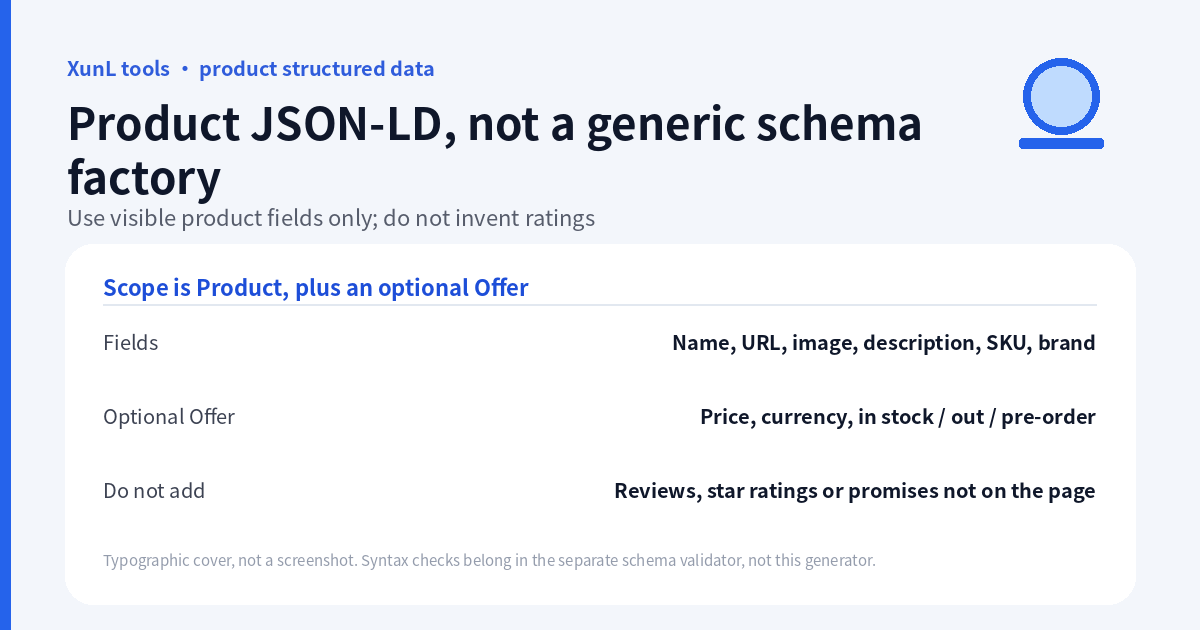
The Product JSON-LD generator generates Product with an optional Offer. It is not an all-types Schema factory, and it has no review-rating input. This guide follows the live tool documentation and Google’s official guidance reviewed on 18 November 2026 (Asia/Shanghai). Generation is not deployment, validation or a rich-results guarantee.
1. Gather facts from the matching product page
Prepare the visible page and its source information before opening the generator:
| Tool input | What to verify |
|---|---|
| Product name | Identifies the actual product, not a list of search phrases |
| Product URL | Opens the product being described, not a generic home page |
| Product image URL | Relevant real product image, accessible at its public URL |
| Description | Matches the page; no invented specifications or promises |
| SKU | The real identifier; preserve meaningful letters and leading zeros |
| Brand | The actual brand shown for this product, not a guessed manufacturer |
| Selling price | A genuine public offer price, if there is one |
| Currency code | The offer’s correct three-letter code, not just a currency symbol |
| Inventory status | The true page state: the tool offers in stock, out of stock or pre-order |
Schema.org Product defines the vocabulary; Offer describes an offer rather than the identity of the product itself. The vocabulary contains more properties than this generator exposes. A property’s existence in Schema.org does not mean this interface generates it.
For an inquiry-only B2B page without public pricing, do not convert “contact us for a quote” into a made-up amount. Leave price blank for the tool’s documented basic-Product path. Zero is not a substitute for an unknown price; use it only for a genuinely free offer described on the page.
2. Load the sample, inspect it, then click Generate Results
Use Load Sample to learn the layout, then explicitly click Generate Results. This tool does not promise an automatically refreshed output after every edit. If you change an input, generate again and check the new result before copying.
The public sample description is “EC centrifugal fan for ventilation equipment.” It also uses a demo image. These are demonstration data, not facts about your own product. Replace the demo image, URL, identity and every commercial field before deploying anything from the sample.
Inspect the actual generated payload rather than assuming its structure from the form labels:
- Is the main type Product, and does the name match the entered value?
- Are the product and image URLs the intended ones?
- Are SKU and brand present only as supported by the actual output?
- If an Offer appears, do its actual price, currency and availability match the visible page?
- Are there unexpected review or rating claims? This tool has no inputs for inventing those.
Recorded on 18 November 2026, 08:05 Asia/Shanghai, in the light theme: on initial load, the sample fields and a generated result were already present while Real-time update was checked. The checkbox was then turned off, Load Sample was clicked, and Generate Results was clicked explicitly. With real-time update off, the tool did not auto-update; the Generate Results button remained visible. The status afterwards was “Results generated. Please verify before use.” The screenshot starts mid-form: the description “EC centrifugal fan for ventilation equipment.”, SKU FAN-001, brand Example, price 129, currency USD, inventory “In stock”, and the generate button are visible. The name, product URL, image URL and realtime checkbox are scrolled off the top, so the alt text does not claim them. The initial realtime behavior is recorded from the log only.
Sample inputs read from the same live page: name EC Centrifugal Fan; URL https://www.ssevening.com/product/fan/; demo image https://www.xunl.net/tools/assets/examples/product-fan.png?v=7f92f3f4c83c. The page states: “A demo image is provided. Replace it with your actual product image before publishing.” The generated JSON-LD is wrapped in <script type="application/ld+json">, is a Product plus Offer, uses the price value "129.00", and includes no aggregateRating, review or rating fields:
{"@context":"https://schema.org","@type":"Product","name":"EC Centrifugal Fan","url":"https://www.ssevening.com/product/fan/","description":"EC centrifugal fan for ventilation equipment.","sku":"FAN-001","image":"https://www.xunl.net/tools/assets/examples/product-fan.png?v=7f92f3f4c83c","brand":{"@type":"Brand","name":"Example"},"offers":{"@type":"Offer","url":"https://www.ssevening.com/product/fan/","price":"129.00","priceCurrency":"USD","availability":"https://schema.org/InStock"}}
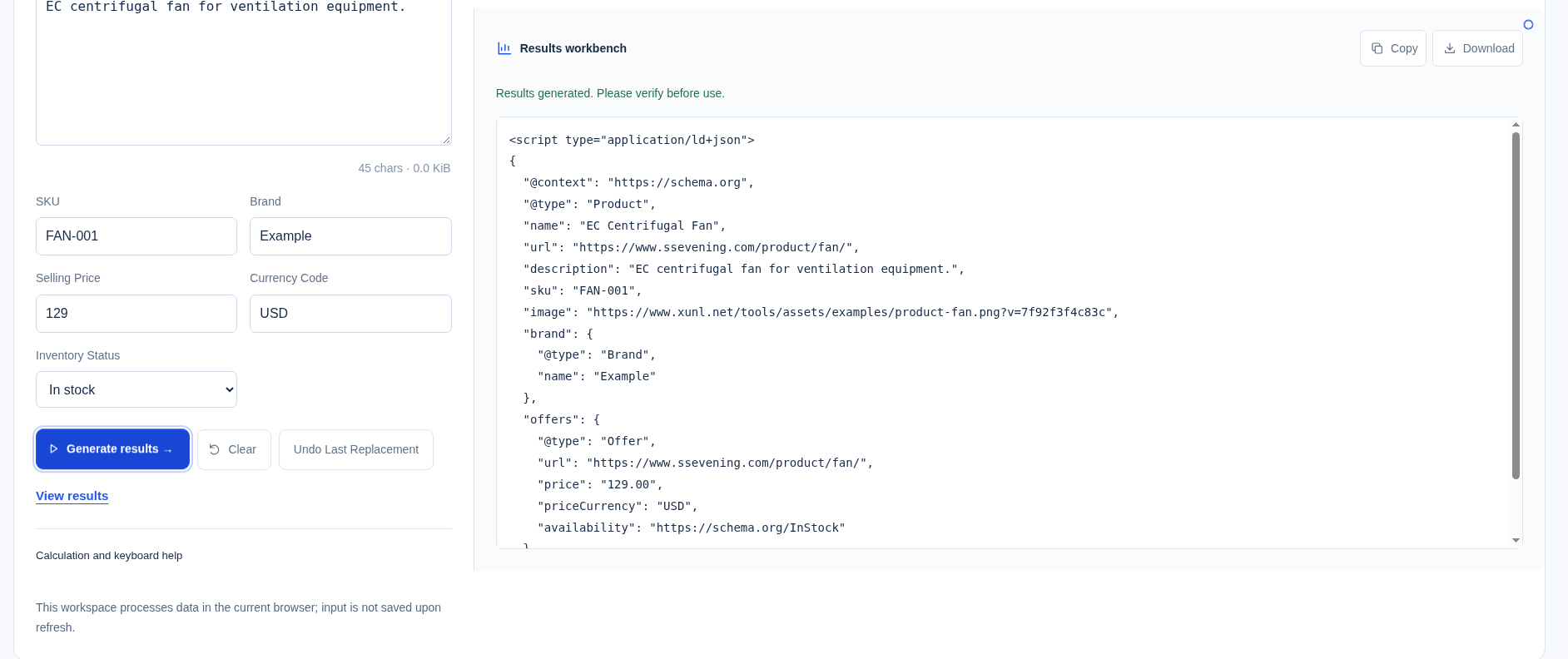
These fields belong to the public demo, not a production-ready listing. Replace the demo image, URLs, identity and commercial facts before publishing.
Clearing the price and regenerating was not tested in this run. Whether an Offer is omitted on an empty price, and which Product fields remain, is still taken from the tool’s documentation, not from an observed result.
3. Separate four kinds of correctness
JSON syntax: does the payload parse? Quotes, commas and brackets can break the document even when the business information is true. The JSON formatting and strict-syntax guide covers that different task.
Schema meaning: do the types and property values make sense under the vocabulary? A syntactically valid string is not proof that an image URL is relevant or that the claimed price is accurate.
Page agreement: can a visitor see the product information represented in the markup? Google’s structured-data policies require relevant, up-to-date, non-misleading content and appropriate access to pages and images. A parser cannot certify those business facts.
Search-feature eligibility: Google sets feature-specific requirements beyond general Schema vocabulary. Its Product snippet guidance currently requires name and at least one of review, aggregateRating or offers, with the corresponding nested requirements. A basic Product description without any of those can therefore be a different target from a Google-eligible product snippet. Do not fabricate the missing branch to force eligibility.
A Product with an Offer but no reviews may receive a recommendation concerning reviews/ratings in a test. A warning is not permission to invent reviews. This generator supports a narrow honest workflow; it does not promise every merchant-listing, variant, shipping or returns feature.
4. Check syntax locally, then test the deployed page
The sibling JSON-LD parser accepts pasted HTML or JSON-LD and lists types, fields and syntax issues. It is not the generator’s main function, does not fetch a live URL, and does not establish Google eligibility. Its documented ability to inspect other types does not expand the Product generator’s scope.
For implementation, first check whether the copied result is raw JSON-LD or already includes a script wrapper. Use the correct structured-data field or insertion method in your CMS; do not double-wrap a block or paste both versions. Review existing template/plugin markup so a second contradictory Product or Offer is not accidentally introduced.
After deployment:
- Inspect the actual page source or rendered output to confirm the intended payload is present on the matching product page.
- Use Google’s official Rich Results Test for its supported search features and the Schema.org Validator for vocabulary-oriented checks.
- Compare the tested output with visible name, images, price and stock—not just green syntax feedback.
- Where appropriate, use Search Console’s URL Inspection to check Google’s access and rendering; generation alone does not submit or index a page.
These are review steps, not actions performed by this tutorial. A page-speed or crawler report answers another question; the website diagnostics workflow does not replace structured-data testing.
5. Maintain the markup with the page
When the public price, currency, availability, product identity or image changes, review the corresponding markup as part of the same update. A locally generated snippet is not connected to your inventory system. Assign an owner for checking that visible information and machine-readable claims stay aligned.
The tool says Product fields are assembled in the browser without contacting an inventory, payment or Google validation service. This does not establish that the entire site is offline or independently security-audited.
Questions that prevent common mistakes
Can I add five stars to improve the result? Not without genuine visible reviews and the applicable requirements. This tool does not supply review/rating inputs, and the sample is not evidence of customer feedback.
Will valid markup guarantee a rich result or a higher rank? No. Google explicitly does not guarantee display even when markup passes its test. Keep factual accuracy separate from desired appearance.
Can I use this for Article, FAQPage or LocalBusiness? Not with this generator’s documented interface. Choose a workflow for the type actually needed rather than relabeling a Product payload.
Put this guide to work for your business
Start free tools with Google or an email code. Create a company and compare Pro plans when you need monitoring and team permissions.
Personal accounts use Free limits. A separate new company receives a 7-day Pro trial, excluding paid monthly credits.