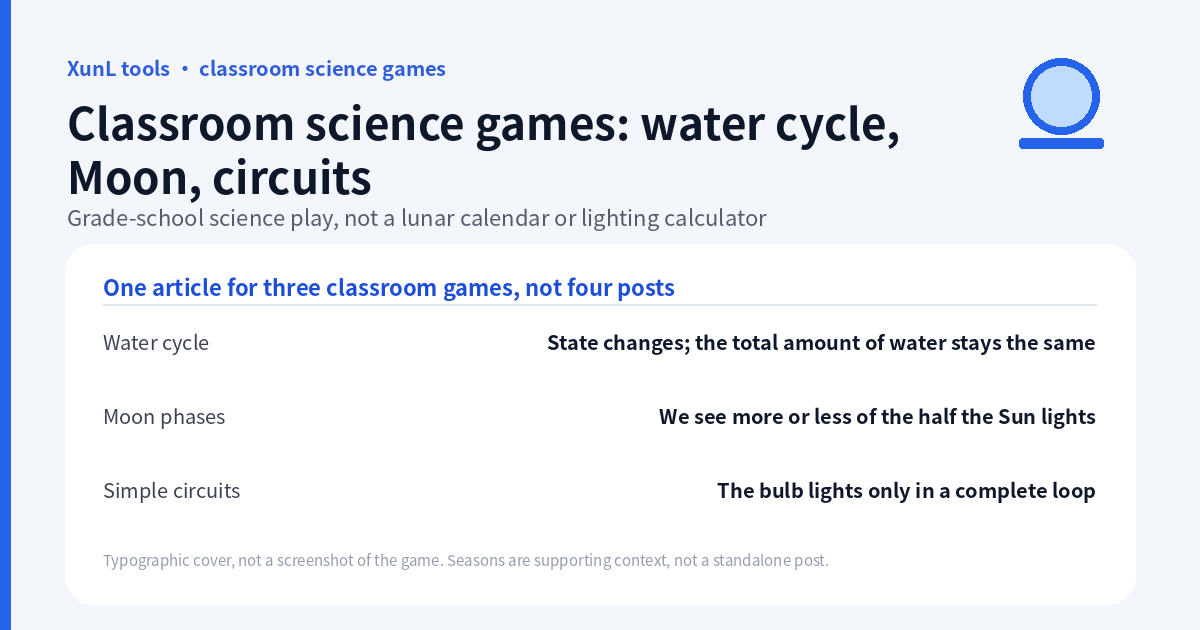
Before naming a process, ask a child to explain what changed and what stayed the same. Ice can absorb heat without immediately getting warmer. The Moon can look different without changing its shape. A lamp can have two wires touching it without being part of a complete circuit.
These short investigations use the states-of-water and water-cycle game as the main activity, then apply the same predict–observe–explain routine to Moon phases and circuits. This guide follows the public water-game instructions reviewed on 18 November 2026 (Asia/Shanghai). The water-cycle panel (the article screenshot), a quarter-to-full Moon orbit change, and a completed lamp circuit were logged on 18 November 2026 (Asia/Shanghai). The heating/melting view and the cold-weather option were not captured. No level score is claimed.
Activity 1: can heating continue while temperature holds?
Open Explore in the water game and use the heating/cooling view. Begin with a new block of ice rather than an unknown half-finished run.
- Set heating and press Start. Ask the learner to predict the thermometer trend.
- Watch the pot, thermometer, particle picture and temperature–time graph together. Pause when ice and liquid water coexist.
- Ask: “Is there still ice? Is heat still being supplied? Must the temperature rise every moment?”
- Continue until the melting stage finishes, then compare the next part of the graph.
- If exploring cooling, distinguish freezing from condensation before pressing the control.
The documented model holds an ice–water mixture at 0 °C while melting proceeds. Under the normal-pressure pure-water assumptions used for the heating lesson, boiling similarly has a 100 °C plateau. These are model conditions, not a claim that every real water sample boils at the same temperature regardless of pressure or dissolved substances.
Heat supplied during melting changes the state rather than producing the temperature rise expected within a single phase. A flat segment does not mean the heater has stopped or no energy is entering. The horizontal axis is time; a longer plateau is a longer modeled transition, not a larger temperature increase.
The browser screenshot for this article is the water-cycle panel, not the heating pot and melting T–t graph. Melting-plateau temperatures therefore stay with the documented model above (0 °C while melting, 100 °C boiling under the lesson’s pure-water assumptions) and must not be read from the cycle-store numbers. The heating/cooling view was not captured in this session.
Ask for evidence: “I think melting is happening because I can see ___, while the thermometer ___.” Do not accept “it is hot” as a description of the change of state.
Activity 2: follow water, not a disappearing blue color
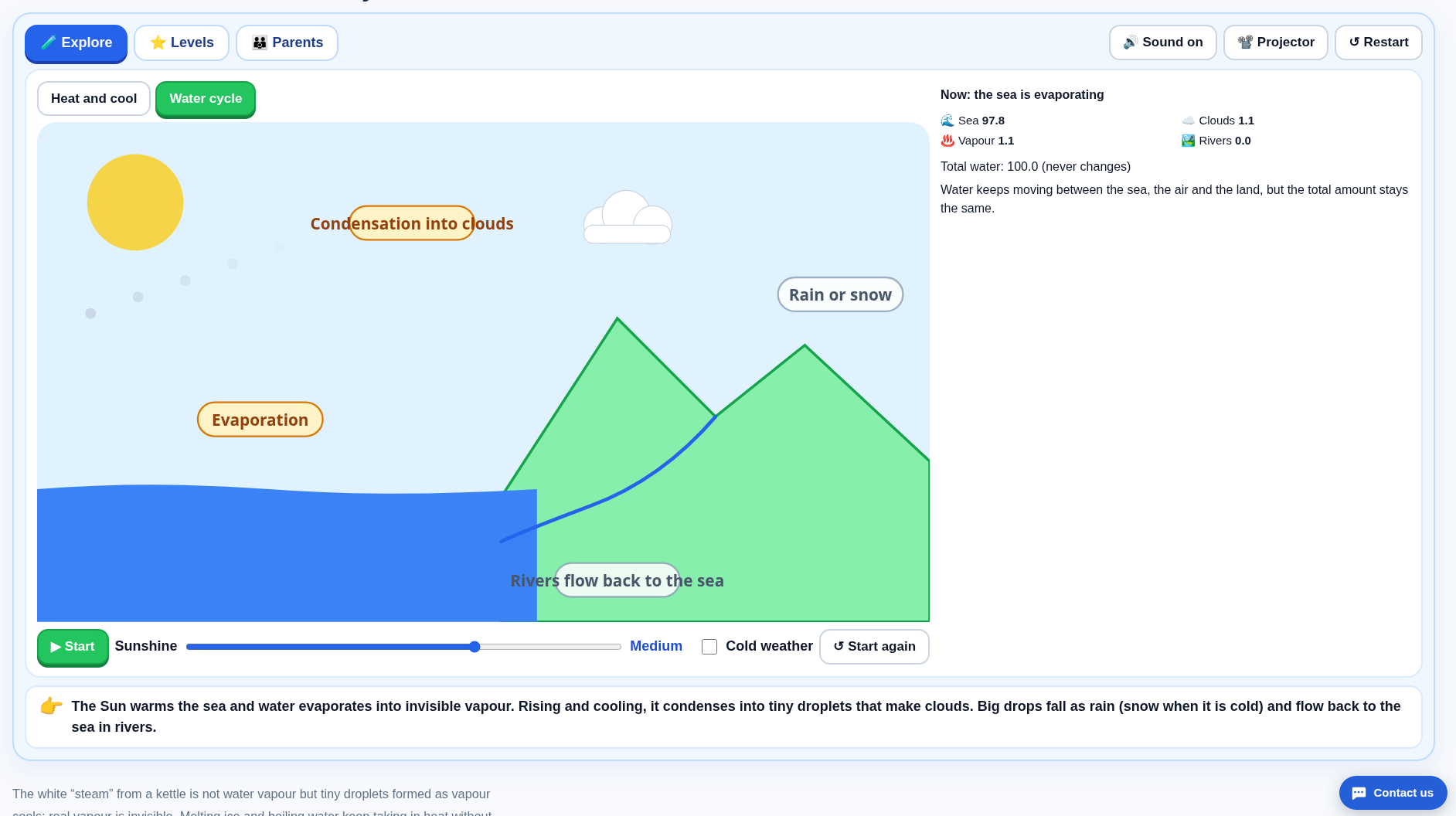
Switch to the documented water-cycle view. Set the sunshine, start the model and follow water through evaporation, cloud formation, precipitation and return flow. Try the cold-weather option separately rather than changing several controls at once.
Have the learner record three things for each step:
- Where is the water? In the sea, atmosphere/cloud or return-flow part of the displayed model?
- What form is it in? Solid, liquid or gas?
- What process changes its place or state? Do not use “evaporation” and “condensation” interchangeably.
The page describes a conserved total across its water amounts. The prediction is redistribution, not creation of extra water by sunshine. Energy from outside the model drives processes while the tracked water moves between stores. A constant modeled total does not mean a real village’s reservoir or a local watershed must always contain the same amount.
The USGS water-cycle explanation distinguishes water stores from flows and includes groundwater, plants and human influences beyond a simple classroom loop. Use that as a reminder that the game selects a few processes; it is not a weather forecast or a complete watershed model.
In Light appearance, Explore was opened, Water cycle mode was selected, sunshine was left at Medium (slider value 2), Cold weather was left unchecked, and the model was started then paused while the panel said the sea was evaporating. The Chinese capture at 07:40:34 Asia/Shanghai showed ocean 82.3, vapour 1.3, cloud 16.3, river 0.0 and total water 100.0 (“never changes”). The English capture at 07:41:01 showed sea 97.8, vapour 1.1, clouds 1.1, rivers 0.0 and the same total 100.0. The different store shares are different pause times during the animation, not a locale-model mismatch. Cold weather was not tested, and no rainfall total or cycle duration is invented.
Two misconceptions to catch now
Is the white cloud above a kettle water vapour? The game explains that water vapour is invisible; the visible white cloud is tiny liquid droplets formed after cooling and condensation. Do not call the white cloud “the gas”.
Does water have to boil before it evaporates? No. Surface evaporation can occur below boiling; boiling and evaporation are not interchangeable labels. Keep this a virtual observation activity—no hot-kettle experiment is needed.
Activity 3: two views explain the Moon’s changing appearance
Open Moon phases and the lunar month in Explore. Use the orbit view and the Earth-view picture together.
- Drag the Moon to a new orbital position. First identify the half facing the Sun in the space view.
- Predict how much of that illuminated part an observer on Earth can see.
- Compare with the Earth-view phase, then repeat at a quarter and a full-Moon position.
- Ask the learner to point to the Sun, Earth and Moon while explaining the change, rather than saying “a shadow covered it”.
In the ordinary phase model, the Sun illuminates half the Moon; the visible fraction of that lit side changes with viewing geometry. Moon phases are not Earth’s shadow. A lunar eclipse is a different alignment. NASA’s phase guide explains the same geometry.
The game uses a northern-hemisphere viewing convention; “right side lit” is not a universal orientation rule for every observer and photograph. This lesson is about phases, not a lunar-calendar conversion, almanac or exact observation-time service. A quarter phase refers to position in the cycle even though the apparent disk is half lit.
In the Moon-phase game’s Explore view, the Upper Quarter button was used (Today was not). The initial readout was Upper Quarter, about 50% illuminated as seen from Earth, highest in the southern sky at about 18:00, rising in the east at about 12:00; status text described lunar day 7/8, the right half lit, and evening in the southern sky. An orbit drag was then attempted toward a marked position: the Moon moved and the UI changed to lunar day 16 / Full Moon, about 100% illuminated, highest south at about 0:00 and rising east at about 18:00. Pointer release timed out because the moving Moon graphic intercepted the target, so this confirms that the orbit changes the phase, but the drag locator did not complete cleanly. The page was not used as a lunar-calendar converter.
Activity 4: two lamp contacts, one complete loop
In the simple-circuit game, use Explore and drag between blue contacts to add wires.
- Identify the battery terminals and the bulb’s bottom tip and metal screw-shell contacts.
- Build a path from one battery end through one bulb contact, out through the other and back to the opposite battery end.
- Add the switch into the loop; predict what opening it will do before tapping it.
- If the bulb stays off, trace the complete path instead of adding random wires. Two wires ending on the same bulb contact do not put the filament in a complete path.
The page documents fault finding, conductor tests and short-circuit warnings. If using the test clips, compare the game’s metal, graphite and plastic examples under the same virtual circuit; do not infer a numerical real-world resistance from a cartoon’s brightness. The documented pencil-core example conducts but gives a dimmer lamp than the metal example.
This is a virtual low-voltage-cell activity, not household wiring practice. Never try a battery short circuit to reproduce a warning, and never use mains electricity. The game’s warning is a teaching cue, not a safety certification.
In the simple-circuit game (Chinese page), the default 1.5 V battery, lamp socket/bulb and open switch were used. Visible contacts were wired battery positive→switch, switch→lamp terminal A, lamp terminal B→battery negative, then the open switch was clicked. The UI changed from “电路没有接通” / “开关断开” to “💡 小灯泡亮了” / “开关闭合”. That is a screen-model observation, not household-wiring advice. Fault-finding and conductor tests were not separately logged.
A brief extension: seasons test a different misconception
In Earth’s orbit and seasons, compare the northern and southern hemispheres while dragging Earth around the orbit. Then investigate the documented axis tilted 23.5° option, changing tilt rather than claiming the Sun moved closer.
The model connects tilt with day length and Sun angle; the hemispheres have opposite seasonal timing. NASA Space Place explains why ordinary seasons are not caused by Earth simply being closer to the Sun. This is a supporting comparison, not a prediction of local weather or a calendar lesson.
Finish with an explanation, not just a level score
Ask for one sentence and one drawing: why a melting plateau can coexist with heating; why Moon phases change; or why two particular lamp contacts matter. The pages offer Levels and parent/teacher material, but completing a game does not by itself show the learner can explain the mechanism.
Grade-unit labels on the pages are teaching context, not evidence of official curriculum approval. The tools run as browser activities; no claim of a network audit or site-wide absence of advertising is made here. Choose one investigation and check the explanation before opening the next game.
Put this guide to work for your business
Start free tools with Google or an email code. Create a company and compare Pro plans when you need monitoring and team permissions.
Personal accounts use Free limits. A separate new company receives a 7-day Pro trial, excluding paid monthly credits.