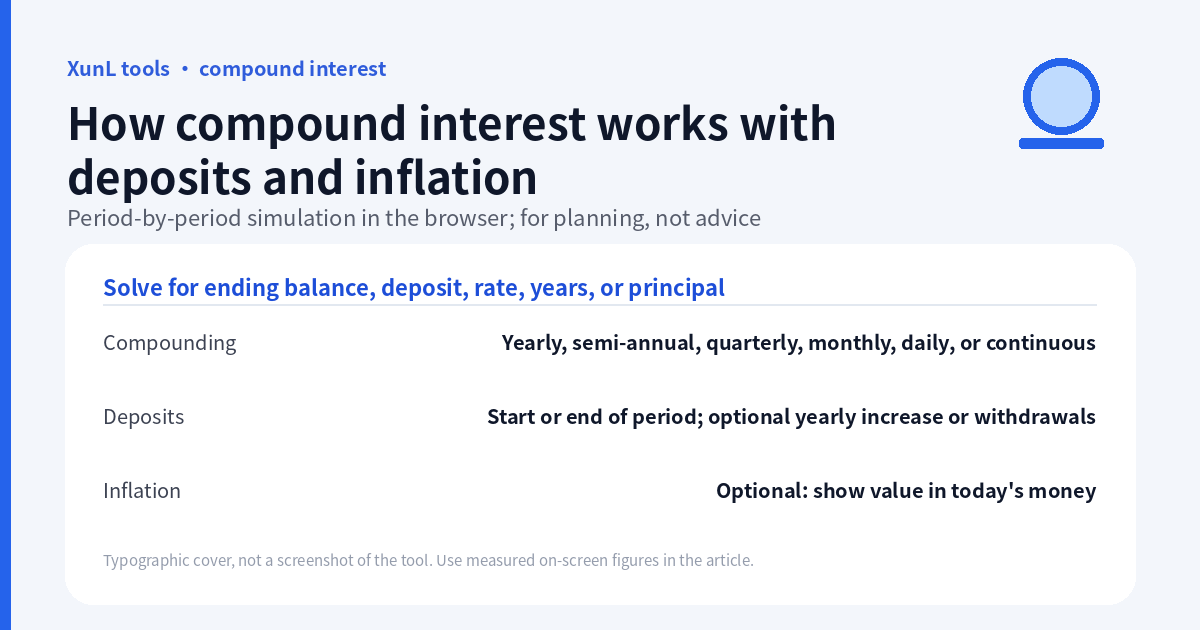
The most useful compound-interest comparison changes one assumption at a time. A starting balance, monthly deposits and an annual rate are not enough: you also need the compounding frequency, when each deposit arrives and whether the result is shown in future money or today’s purchasing power.
Open the compound interest calculator for that comparison. This tutorial follows the public calculator documentation reviewed on 18 November 2026 (Asia/Shanghai). Rates in the examples are hypothetical inputs, not forecasts, quotes or recommendations. The calculation does not model a specific investment, tax treatment or fee schedule.
Set up a reproducible monthly-contribution case
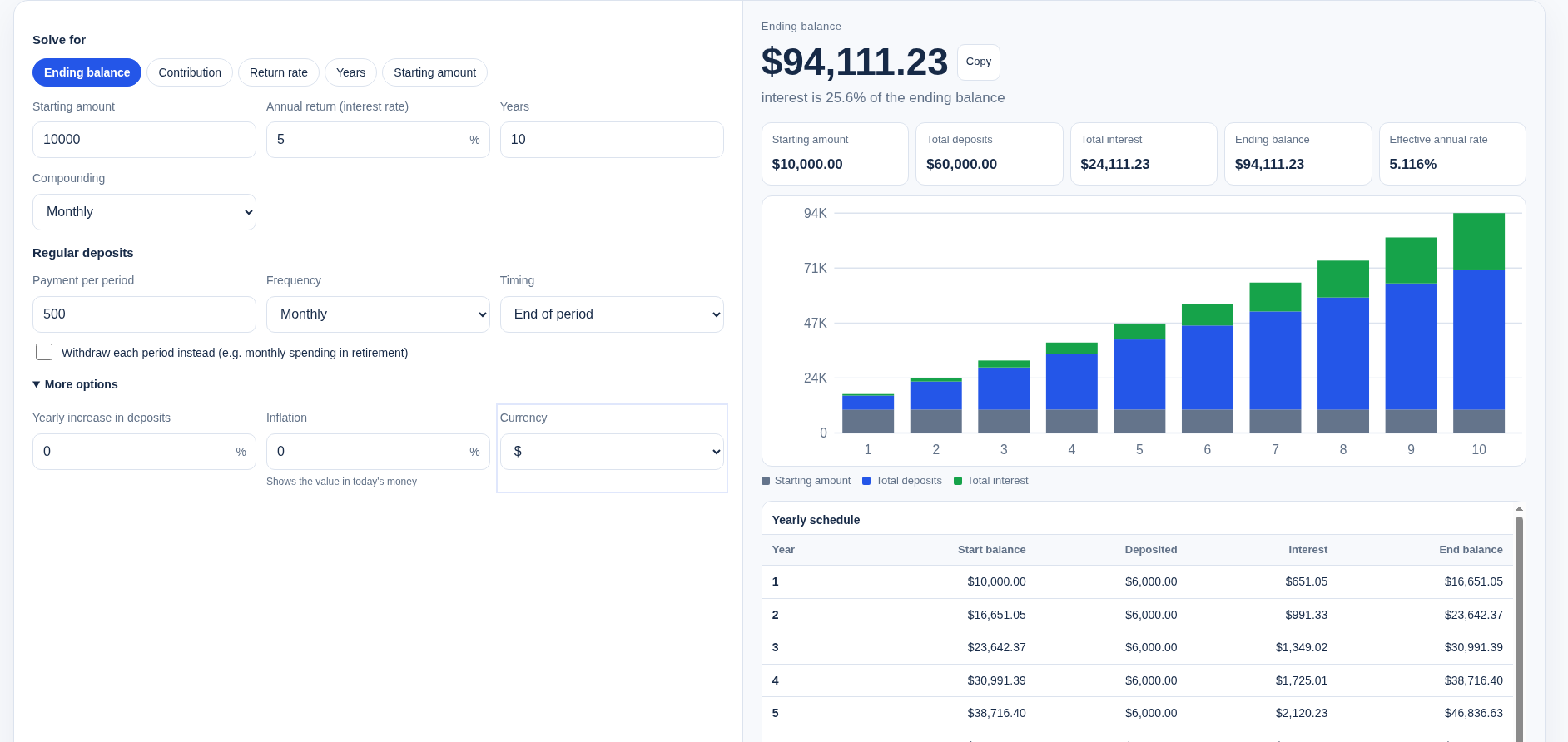
Choose ending balance, then set every relevant control—not just the large number fields:
| Setting | Demonstration input |
|---|---|
| Starting amount | 10,000 |
| Annual nominal rate | 5% |
| Years | 10 |
| Payment per period | 500 |
| Compounding | Monthly |
| Contribution frequency | Monthly |
| Contribution timing | End of period |
| Withdraw instead | Off |
| Yearly increase in deposits | 0% |
| Inflation | 0% |
| Currency symbol | Choose a display symbol; it does not convert currencies |
Compounding and contribution frequency answer different questions. The first controls how the entered nominal rate compounds; the second controls when new money enters the model. Monthly compounding does not mean the calculator is automatically assuming monthly deposits of a particular amount.
Read the ending balance alongside the amount paid in and the modeled interest. Money you contributed is not a return. The yearly schedule is useful for checking whether a contribution increase or timing option changed the intended cash flow.
On 18 November 2026 at 07:26 Asia/Shanghai, the public English page with the inputs above and the $ display symbol showed: starting amount $10,000.00; total deposits $60,000.00; total interest $24,111.23; ending balance $94,111.23; effective annual rate 5.116%; and the line “interest is 25.6% of the ending balance.” These are modeled results for this hypothetical set, not a promised return. The cropped screenshot shows yearly-schedule rows 1–5; the year-10 end balance matches the ending balance at $94,111.23. Rows 6–10 are in the same-day tool log but were not kept in the crop because a bottom advertisement overlapped them.
Monthly versus annual compounding: hold deposits at zero first
To isolate compounding frequency, set payment to 0 and leave the starting amount, hypothetical rate and years unchanged. Compare annually with monthly. The default workbench compounding is monthly; the page’s annual lump-sum examples use a different setting. A mismatch is not evidence that either formula is wrong.
For a lump sum, the ordinary identity is:
FV = P × (1 + r/m)^(m × t)
Here P is starting principal, r is the nominal annual rate written as a decimal, m is compounding periods per year and t is years. Monthly uses m=12; annually uses m=1. Compare both with the same input rate, and label the frequency next to any result you save.
The effective annual rate for periodic compounding is (1 + r/m)^m − 1. Do not take an already-effective annual yield and silently treat it as the nominal rate in a different compounding model; that would be a different assumption.
The same day, on the Chinese page, payment was set to 0 and compounding to annually, with the 10,000 starting amount, 5% rate and 10 years left unchanged. The tool then showed starting amount ¥10,000.00, total deposits ¥0.00, total interest ¥6,288.95, ending balance ¥16,288.95 and an effective annual rate of 5%. That is a separate lump-sum, annual-compounding measurement; it must not be mixed with the monthly-deposit screenshot above. A monthly-compounding lump-sum case was not separately measured in the interface and is not quoted here.
Add regular contributions without treating them as day-one principal
A monthly deposit made near the end of the plan has less time to compound than the initial balance. Multiplying the sum of all future deposits by the full ten-year growth factor would overstate their time in the model.
The page documents an effective rate per contribution period:
i = (1 + r/m)^(m/k) − 1
k is contribution periods per year. With a constant deposit C, N full contribution periods and end-of-period deposits, the corresponding ordinary annuity identity is:
FV = P × (1 + i)^N + C × ((1 + i)^N − 1) / i
For i=0, use P + C×N rather than dividing by zero. This compact identity assumes a level payment, aligned full periods and no withdrawals or yearly increases; it is not a substitute for the calculator’s period-by-period treatment of other settings.
For start-of-period deposits, the contribution part earns one additional period under that same model, so it is multiplied by (1+i). The starting principal part does not get that extra multiplier. Timing is a cash-flow assumption, not an instruction to change your investment behavior.
If you enable yearly increase in deposits, the payments are no longer level. Check the schedule instead of applying the level-payment formula unchanged. Withdrawal mode is likewise a hypothetical cash-flow model, not a retirement-income guarantee.
Inflation: a second view of the same future balance
The documented purchasing-power adjustment is:
Today's-money value = future balance / (1 + inflation)^years
A positive inflation assumption lowers the displayed today’s-money value without changing the future cash balance. It does not deduct a bank fee, reduce the deposits or forecast official CPI. To compare scenarios, hold the cash-flow settings fixed and change only the inflation input; keep both the nominal future balance and the adjusted value in your notes.
No positive inflation input was measured in the live interface for this article, so no adjusted today’s-money figure is quoted here; the relationship above is from the page documentation.
Reverse solving is a mathematical requirement, not an available return
The documented modes can solve for a contribution, rate, years or principal given a target. A solved contribution is what the assumed model requires; a solved rate does not establish that any product can provide it. Recheck every other input after switching modes, and use sensitivity comparisons rather than treating one number as a plan that must happen.
Investor.gov’s calculator also distinguishes an initial amount, monthly contributions and an estimated annual rate. That is useful terminology, not an endorsement of this calculator or of an assumed return.
Before using a result elsewhere, record the rate convention, frequencies, timing, yearly changes, inflation and omissions such as taxes and fees. The page says calculation runs in the browser; that is not an independent network audit or a claim that the entire website is offline. Currency symbols are display-only.
If your actual question is product markup or gross margin rather than growth over time, use the separate markup versus margin guide. These calculations use different bases and should not be interchanged.
Put this guide to work for your business
Start free tools with Google or an email code. Create a company and compare Pro plans when you need monitoring and team permissions.
Personal accounts use Free limits. A separate new company receives a 7-day Pro trial, excluding paid monthly credits.